


Backdrops - Wallpapers
4.62.69K Reviews
App Specs
- Version
- 6.5
- Updated On
- License
- Free
- Downloads
- 5,000,000+
- Developer
- Backdrops Dev LLC
- Categories
- Personalization
- Platform
- Android
Screenshots
 Analysis by AppCompare
I judge a wallpaper app less by how many pictures it can show me and more by whether it helps me find something I’ll still enjoy seeing after the first day. A background is a small choice, but it sits in view every time I check my phone. Backdrops - Wallpapers is a personalization app from Backdrops Dev LLC that makes browsing original-looking designs its central appeal. I find it most useful when I want to change the feel of my screen without spending time searching across unrelated image sites.
What free access means here
The app is free to install, so you can try its wallpaper browsing experience without paying up front. There are in-app purchases, priced from $0.99 to $8.99 per item, which means some optional content or benefits may involve a separate purchase. I would treat the free access as a chance to see whether the collection suits your taste first, rather than assuming every design or perk is included at no cost.
That distinction matters if you only change your wallpaper occasionally. You may be perfectly happy exploring what is available without buying anything. If you frequently refresh your screen and are drawn to exclusive options, a purchase might feel more worthwhile, but I’d decide based on what you actually want after browsing. The app’s average rating is 4.6 from around 80,000 ratings, and it has been installed over 5 million times; those figures suggest broad interest, though personal taste is still the best test.
Where the value comes from
For me, the value is in having a dedicated place to browse visual choices instead of repeatedly searching the web, opening images, and trying to judge whether they will suit a phone screen. Backdrops combines a curated-feeling collection with categories and a community element, so there are different paths to finding a background. That is a practical advantage over simply using a general image search, where attractive pictures may take more work to evaluate and organize for this purpose.
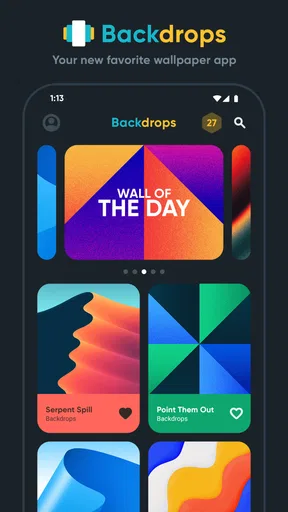
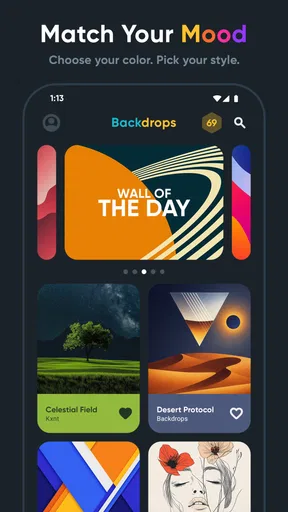
The daily spotlight can also make choosing easier when I don’t have a specific idea in mind. Rather than treating wallpaper selection as a project, I can take a quick look and see whether the featured image fits my mood. I would not expect a daily pick to suit everyone every time; its usefulness is that it offers a starting point, not that it removes personal choice.
Small decisions that improve the experience
A useful habit is to browse by the feeling or visual style you want before settling on an image. If I’m after a calmer screen, I’d start with nature rather than scrolling through every design; if I want something more expressive, an abstract choice may be a better fit. This narrows the decision and makes the categories more than just decoration in the interface.
I’d also think about how a wallpaper will work with the icons and text already on my screen. A detailed image can look striking when opened full-screen but make app labels harder to pick out once applied. In that case, a simpler design may be the better everyday choice, even if it is less dramatic in the preview. Before committing, I would check the crop and placement on the actual home or lock screen, since the usable result matters more than the thumbnail.
Worth Reading Before You Choose

EA SPORTS FC Mobile 26 Is a Bigger Football Game, but It Takes Time

Flipboard Shows What News Apps Must Do Beyond the Feed

Switching to Android Auto Means Rethinking Your Driving Routine

Google Calendar Makes a Crowded Week Easier to Manage

Ludo King Makes the Most of the Minutes Between Plans

Baby Panda World Brings Quick Play to Modern Phones, but Its Game Library Feels Busy
How it compares with other ways to choose
Compared with the wallpaper options built into a phone, a dedicated app can offer a more focused browsing experience and a broader range of visual styles in one place. Compared with general image-search services, Backdrops is centered on choosing backgrounds rather than finding images for every possible purpose. That focus is useful, but it also means someone who already has a favorite photo library or a specific artist’s work in mind may be better served by selecting an image they already own.
The community side is another difference from choosing a stock background supplied with a device. User contributions can make the collection feel less uniform, and browsing other people’s work may lead me to styles I would not have searched for directly. The trade-off is that a community collection can be less predictable than a tightly limited set of built-in options. If you prefer a very restrained selection and do not enjoy browsing, the phone’s own wallpaper settings may be quicker.
A realistic everyday use
Imagine I’m waiting for a friend and have a few minutes to spare. Instead of opening a broad search and saving several images for later, I can open Backdrops, choose a category that matches the mood I want, and compare a handful of options. If none feels right, I can leave the screen as it is and return another day; the daily spotlight gives me a simple reason to check again without making a new wallpaper feel like a task.
For a more deliberate change, I would pick a design that works with the way I use my phone, not just one that looks good in isolation. A quiet background can keep a busy home screen readable, while a more detailed image may suit a lock screen that I see only briefly. Thinking about where the wallpaper will appear is a small step, but it helps avoid choosing an image that becomes distracting in regular use.
Who is likely to get the most from it
I’d recommend trying it if you enjoy changing your phone’s appearance, like browsing visual collections, or want ideas beyond the standard backgrounds on your device. It is also a good fit for someone who appreciates seeing work from other users alongside more curated browsing. The app is free, is rated for Everyone, and supports Android 6.0 and later, making it accessible to a wide range of Android users.
On the other hand, I would skip it if you rarely change wallpapers, already have a folder of images you love, or want a highly specific picture rather than a collection to explore. It may also be less appealing if you dislike ads or do not want to encounter optional purchases while browsing. The current version is 6.1.1, and the app was released on October 27, 2015; what matters most in practice is whether its browsing style and available designs match what you want today.
Trade-offs to keep in mind
The main friction is that a large collection can turn a quick choice into a long scroll. Categories and the daily feature help, but they do not guarantee that the first few options will match your taste. I’d set a simple limit for myself: browse a category for a few minutes, save or apply a promising choice, and come back later if nothing clicks. That keeps personalization enjoyable instead of turning it into another decision that drains time.
There is also a difference between discovering an image and living with it. A wallpaper that feels fresh at first can become visually tiring if it is busy or clashes with the apps I use most. I prefer to judge a design after seeing it behind my icons, and I would change it again if readability suffers. The option to keep browsing is useful, but it does not replace that practical check.
A World of Wallpapers at Your Fingertips
First things first, let's talk about the sheer variety. Backdrops - Wallpapers offers a vast collection of wallpapers. From breathtaking landscapes to minimalistic designs and everything in between, there's something for everyone. The app is like a treasure trove of visual delights, and trust me, you'll find yourself scrolling through endless possibilities.
Daily Dose of Freshness
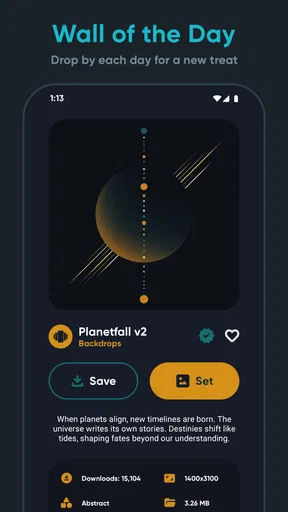
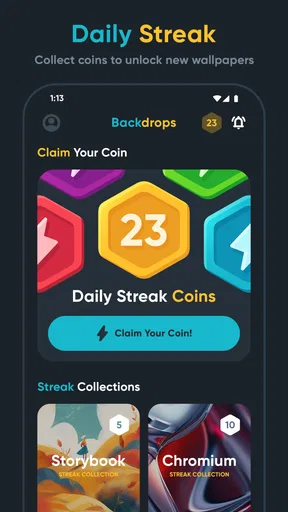
One of my favorite features is the daily wallpaper. Every day, a new wallpaper is spotlighted, keeping things fresh and exciting. It's like getting a little gift every morning, and who doesn't love gifts? Plus, it ensures that your home screen is never boring.
Categories that Cater to Your Mood
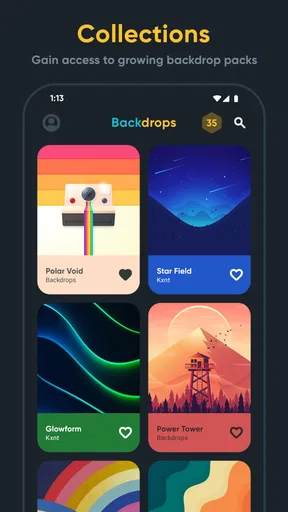
The app is brilliantly organized into various categories, making it easy to find what you're in the mood for. Feeling artsy? Check out the abstract section. Want something calming? The nature category is your best bet. It's all about convenience and personalization, which is a big win in my book.
Community Vibes
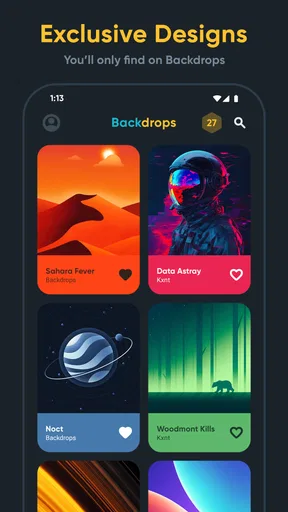
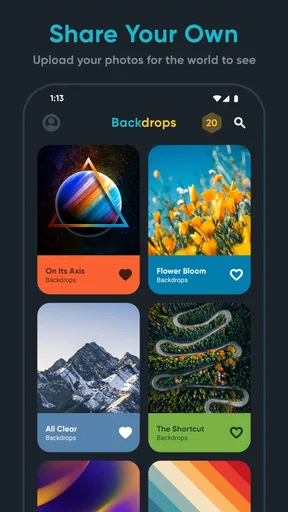
Now, here's where it gets interesting. Backdrops isn't just about downloading wallpapers; it's also about sharing. Users can upload their own creations, giving it a community feel. It’s like being part of a global art gallery where everyone contributes, and the best part is that you can interact with other users’ creations. It feels personal and connected, which I absolutely love.
Seamless Experience
The app's interface is sleek and intuitive. Navigating through the app is a breeze, and setting a new wallpaper is done with just a couple of taps. No complex settings or confusing menus—just straightforward and user-friendly. It's designed to make your life easier, and it does just that.
High-Quality Imagery
Quality matters, right? That’s why I appreciate the high-resolution images available in the app. Whether you have the latest smartphone or something a bit older, the wallpapers look stunning. The clarity and vibrancy are top-notch, making sure your screen looks as good as it possibly can.
Premium Perks
While the free version is fantastic, there's a premium option for those who want to take it up a notch. The premium version unlocks exclusive wallpapers and removes ads. It’s a small price to pay for an ad-free experience and access to even more unique designs, especially if you love changing your look regularly.
Why It's Worth the Download
In a world where first impressions count, having an eye-catching wallpaper can make your device feel more personal and inviting. Backdrops - Wallpapers delivers on this front by providing an extensive range of high-quality options. Whether you're a minimalist or someone who loves vibrant, intricate designs, this app has got your back.
So, what are you waiting for? Dive into the world of Backdrops - Wallpapers and give your phone the makeover it deserves. With its easy-to-use interface and endless options, it’s a no-brainer for anyone looking to jazz up their device.
In the end, a phone is more than just a tool; it's an extension of who you are. With Backdrops, you get to express yourself, one wallpaper at a time. So go ahead, download it, and let your screen be your canvas.
Pros
- Extensive wallpaper collection.
- High-resolution images available.
- Daily wallpaper suggestions.
- User-friendly interface.
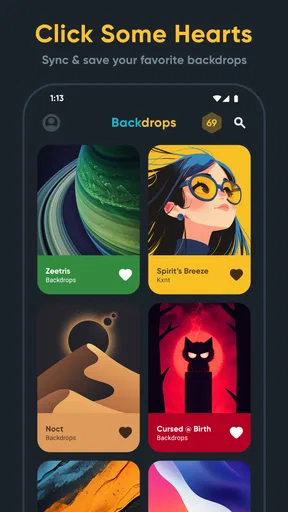
- Customizable favorites list.
Cons
- Ads can be intrusive.
- Limited free options.
- No offline access.
- Occasional slow loading times.
- In-app purchases are pricey.
FAQs for Backdrops - Wallpapers
What features does Backdrops - Wallpapers offer?
Backdrops - Wallpapers provides a vast collection of high-quality wallpapers curated by professional artists. The app includes categories for easy browsing, daily updates to keep your screen fresh, and a community feature where users can contribute their own creations. Additionally, it offers a favorites section to save preferred wallpapers for quick access.
Does Backdrops - Wallpapers require any in-app purchases?
While Backdrops - Wallpapers is free to download and use, it offers in-app purchases to unlock premium features. These include access to exclusive wallpaper collections and an ad-free experience. Users can enjoy a substantial range of wallpapers without purchase, but premium options enhance the app’s offerings significantly.
How does the Backdrops community feature work?
The community feature in Backdrops allows users to upload and share their own wallpapers with other users. It is a platform for creative expression, where you can follow artists, like and comment on your favorite designs, and discover unique wallpapers created by the community. This interaction enhances personalization and discovery within the app.
Is Backdrops - Wallpapers available on both Android and iOS?
Yes, Backdrops - Wallpapers is available for both Android and iOS devices. The app is designed to be compatible with a wide range of smartphones and tablets, ensuring a smooth user experience across different platforms. Users can download it from the Google Play Store or the Apple App Store.
How often are new wallpapers added to Backdrops?
Backdrops - Wallpapers is updated daily with new wallpapers to ensure a fresh selection for users. This regular update schedule provides a constant stream of new designs and styles, keeping your device’s background up-to-date and visually appealing. Users can explore new additions in the ‘New’ section of the app.


